Specifications

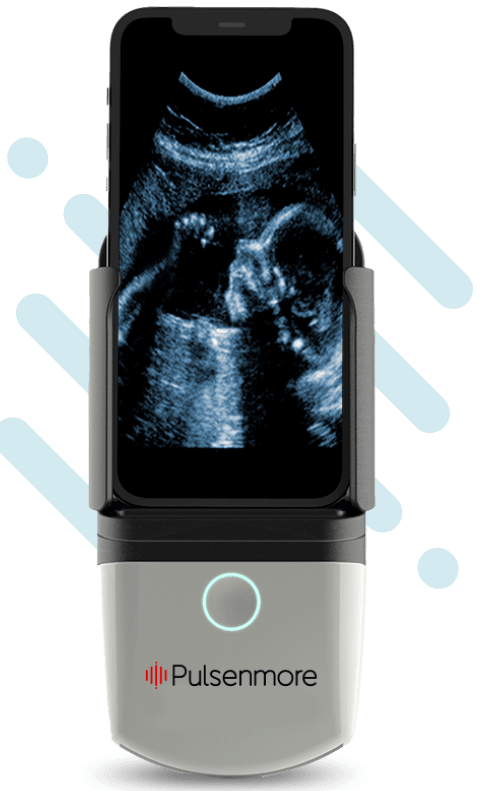
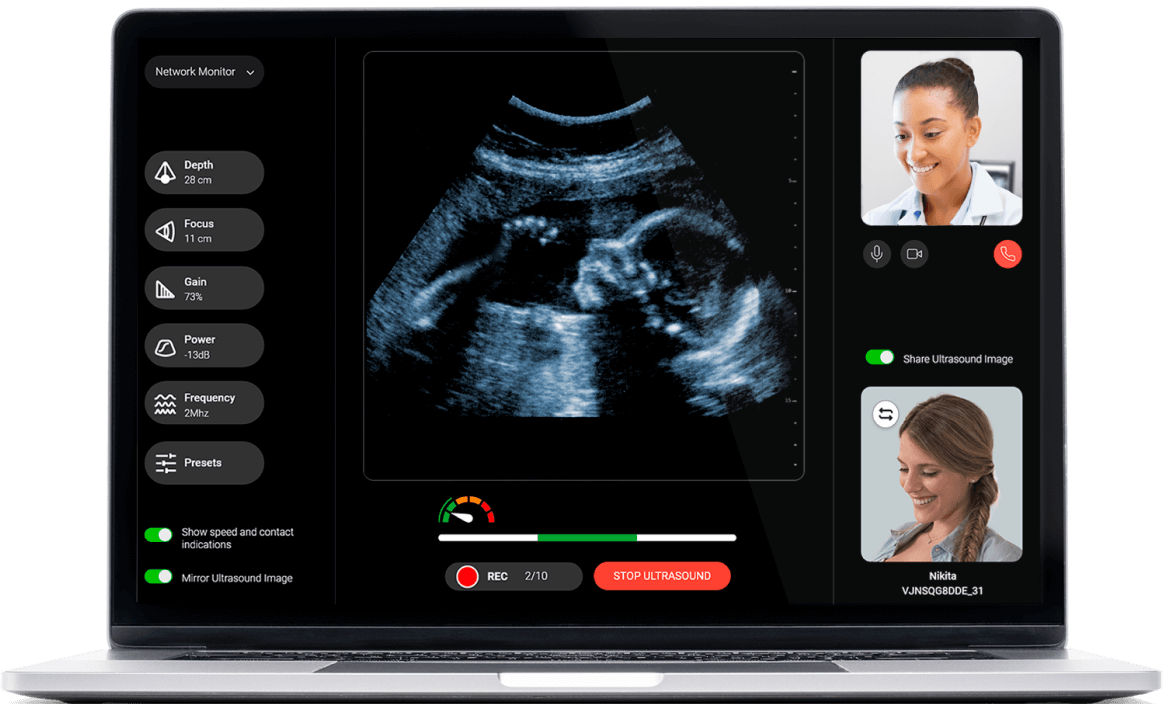
The Pulsenmore system is comprised of three components.
Check the specifications below

Product specifications

Mobile app

Pulsenmore® mobile app links

Imaging optimization and filtering

From Clinician Dashboard
Gain, Focus, Power, Depth, Image Enhancement, Speckle Reduction, Time Gain Control (TGC)

Scan time

Up to 3 minutes in video-guided mode or as determined by the healthcare professional in clinician-guided mode

Network connectivity

Wi-Fi or cellular (via user’s smartphone)

Device usage

Single patient, for one pregnancy

Data upload

Secured cloud service

Bioeffects

Thermal Index (TI): 0.03 Mechanical Index (MI): 0.4

Image resolution

1080p (Full HD)

Ultrasound mode

B-mode

Weight

260 g / 0.57 lb

Dimensions

166x78x38 mm / 6.5x3x1.5 in

Pulsenmore home ultrasound cradle attached with smartphone

Supported smartphones

The device utilizes your smartphone’s processing and video streaming capabilities, communication protocols, display, and power resources. For this reason, not all smartphones meet the compatibility requirements. Let’s ensure your smartphone is compatible with the Pulsenmore Home Ultrasound.
What type of operating system will you be using?

Make sure your iPhone is listed in the supported phones list below.

iPhone 17 Pro Max

iPhone 17 Pro

iPhone 17

iPhone 17 Air

iPhone 17e

iPhone 16 Pro Max

iPhone 16 Pro

iPhone 16 Plus

iPhone 16
iphone 16e

iPhone 15 Pro Max

iPhone 15 Pro

iPhone 15 Plus

iPhone 15

iPhone 14 Pro Max

iPhone 14 Pro 

iPhone 14 Plus 

iPhone 14

iPhone 13 Pro Max

iPhone 13 Pro 

iPhone 13 

iPhone 13 mini

iPhone 12 Pro Max

iPhone 12 Pro 

iPhone 12 

iPhone 12 mini

iPhone 11 Pro Max

iPhone 11 Pro
iPhone 11

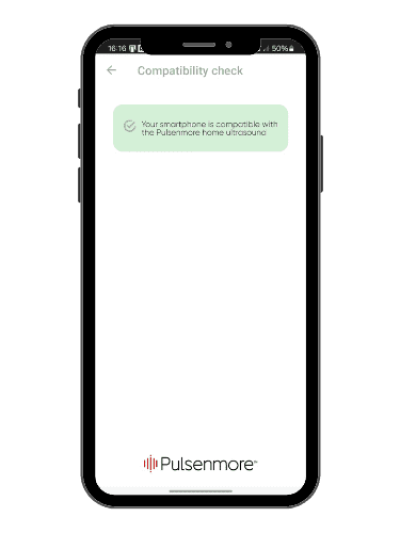
Make sure your phone passes the compatibility check.

To check if your smartphone is compatible with the Pulsemore device, download the Pulsenmore app from the App Store and follow the steps below.

  • Please note that the device works with the latest iOS operating system (or the last two versions).
    Please ensure your device has at least 1GB of free storage space.
  • Ensure a stable internet connection via 5G/4G/LTE with a minimum speed of 600 kbps.
  • If using Wi-Fi, please note that the device operates on a 2.4 GHz frequency only.
  • Only WPA2 home networks are supported.
  • Enterprise networks (used by organizations) are not supported.
  • Wi-Fi signal strength must be greater than -67 dBm.

If your iPhone doesn’t meet the requirements, don’t worry! You can always use another phone, such as one belonging to a family member, as long as it’s available to you during your pregnancy.

Make sure your phone is listed in the supported phones list below.

Samsung Galaxy

S26 series | S25 Series | S24 Series |S23 Series | S22 Series | S21 Series | Flip7 Series | A05s |
A23 | A25 | A26 |A35 | A36 | A52| A52 5G | A52s 5G | A53 5G | A55 | A56 | Note10 Lite

Google Pixel

10 Series | 9 Series | 8 Series | 4 Series | 5 Series

Xiaomi
POCO X6 | Poco X6 Pro | Redmi Note 13 Pro+

OnePlus
OnePlus 15R | OnePlus 8T

Make sure your phone passes the compatibility check.

To check if your Android  smartphone is compatible with the Pulsemore device, download the Pulsenmore app from the playstore and follow the steps below.

  • Please note that the service supports the latest Android version or up to two previous versions.
  • Please ensure your device has at least 1GB of free storage space.
  • Ensure a stable internet connection via 5G/4G/LTE with a minimum speed of 600 kbps.
  • Use a home network with WPA2 or higher security only
  • Enterprise networks (used by organizations) are not supported.
  • Wi-Fi signal strength must be greater than -67 dBm.

If your smartphone doesn’t meet the requirements, don’t worry! You can always use another phone, such as one belonging to a family member, as long as it’s available to you during your pregnancy.

Clinician dashboard specifications

clinician-dashboard

Clinician dashboard requirements

PC OS Version

Windows 10 or 11 / Mac: latest OS (or the latest 2 versions)

Processor

1 GHz or faster processor ot SoC – 4 cores

RAM

4 GB for 32-bit ot 64-bt

Hard disk space

16 GB for 32-bit OS or 20 GB for 64-bit OS

Graphic card

DirectX 9 or later with WDDM 1.0 driver

Display

Full HD (1920X1080) or higher

Browser

Chrome, Edge or Safari (latest version)

Network bandwidth

Broadband (5G/4G/LTE) at rate of 600 kbps
(our recommendation is to work on Wi-Fi)

Require equipment
(not include)

Camera and microphone

Ultrasound images

Viewing angle ~ 60 degree
Depth Up to 27 cm
Image resolution 512 X 512 pixels
Diagnostic ultrasound imaging B- Mode and M-Mode
Frequency  2-5 MHz.
footer-bottom-blue-bg

Got a prescription? Order now >>